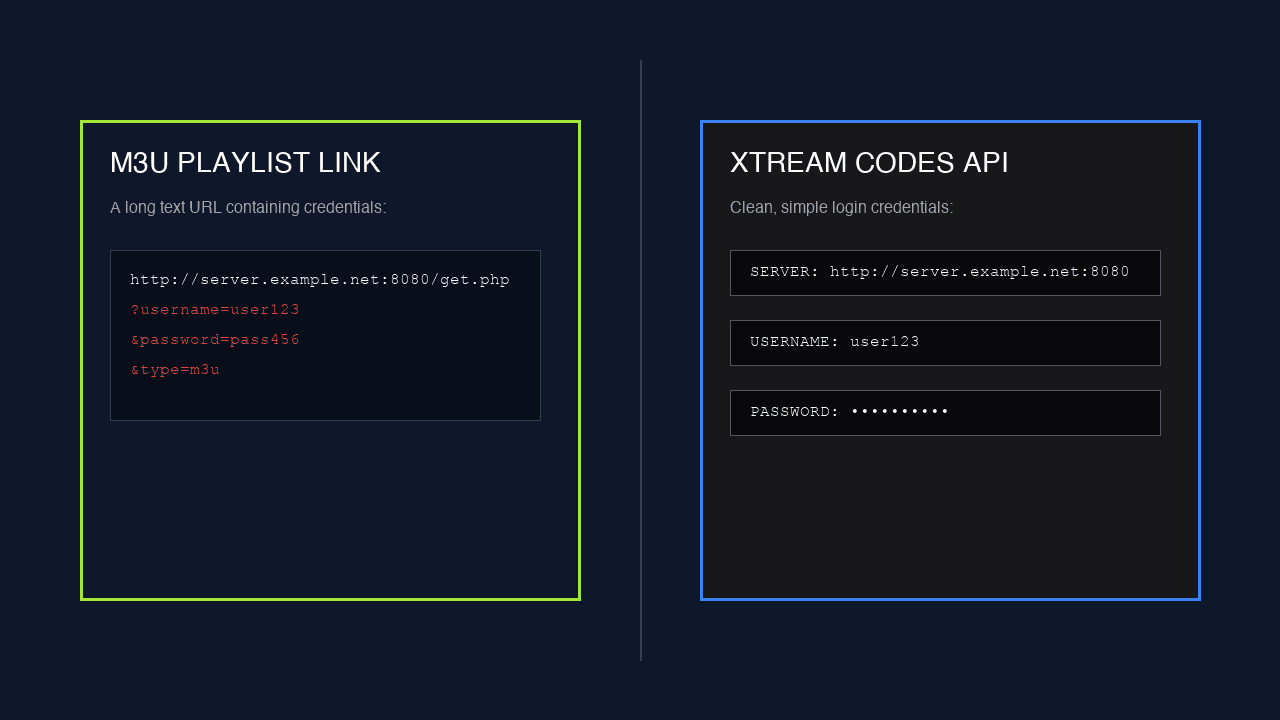
Every provider sends new customers a wall of text containing two different things that do the same job. One is a long URL. The other is a server address with a username and password. People reasonably assume one is better. Mostly, it is about what your player can do with them.
What is the actual difference?
One is a document, the other is a conversation. An M3U link hands your player a finished list and the exchange ends there. Xtream Codes gives your player an address it can keep asking questions of — and that changes what the app can build.
With M3U, your player downloads one flat file containing every channel in one long sequence. It has to work out structure from the group tags baked into each line. That is all the information it will ever get.
With Xtream Codes, your player talks to an API. It can request the category list separately, ask for one category at a time, pull the guide for a single channel, and fetch on-demand titles with their artwork and descriptions. It is asking, not just reading.
| M3U link | Xtream Codes | |
|---|---|---|
| Format | One long URL | Server URL + username + password |
| How the app gets data | Downloads one flat file | Queries an API on demand |
| Categories | Inferred from group tags | Native, requested separately |
| On-demand library | Dumped into the same list | Browsable, with artwork and descriptions |
| Guide behaviour | Loads everything at once | Can fetch per channel |
| First-load speed on big lines | Slower — parses the whole file | Faster — pulls what it needs |
| Works in VLC | Yes | No |
| Works on Samsung / LG | Yes | Not via SS IPTV |
When should you use Xtream Codes?
On anything running Android, Fire OS or tvOS with a modern player. If IPTV Smarters, TiviMate or XCIPTV is your app, Xtream is the better login, and the gap widens the bigger your channel list gets.
The reason is mundane but real. A 20,000-channel M3U is a large file, and the player has to parse the whole thing before it can show you anything. Xtream lets the app pull the category list first and fetch the rest as you browse. On a Firestick — which has the CPU of a mid-range phone from several years ago — that difference is the difference between a snappy app and a two-minute wait.
The on-demand library is the other tell. Films and series arrive as browsable entries with posters and descriptions rather than fifteen thousand extra rows shoved into your channel list. If you use VOD at all, Xtream is not close.
When do you need the M3U link instead?
When your player simply cannot speak Xtream. Two common cases, and no amount of preference changes them: VLC and Smart TVs.
- VLC on Windows or Mac — it opens a network stream. It has no concept of an Xtream login, and it never will.
- Samsung Tizen and LG webOS via SS IPTV — the app links a playlist to a connection code, and that playlist has to be a URL.
- Anything embedded or unusual — older boxes, some browser players, odd firmware. M3U is the universal fallback.
- Diagnostics — if you want to prove the line works independently of your TV app, paste the M3U into VLC. Two minutes, definitive answer.
Where does the "portal" fit in?
Portal is a third thing, and it belongs to a specific type of hardware. MAG boxes from Infomir and the STB Emulator apps that imitate them do not load M3U or Xtream at all — they load a portal URL, and the box itself renders the interface.
The important practical difference is that a portal is tied to your box. We register the device MAC address against your line before it will connect. That is a platform security feature rather than a charge, and it is why MAG setup always starts with "send us the MAC off the sticker".
It also means changing hardware means telling us. Swap the box, send the new MAC, we re-register it. An M3U line, by contrast, does not care what it is running on.
| Delivery | Best on | Tied to hardware? |
|---|---|---|
| Xtream Codes | Android, Fire TV, Apple TV, Windows apps | No |
| M3U link | VLC, Samsung, LG, anything unusual | No |
| Portal | MAG boxes, STB Emu | Yes — MAC registered |
Can you convert one into the other?
Not by hand, and it is worth understanding why rather than trying. People assume the M3U link and the Xtream details are the same string arranged differently, and that a bit of copy-paste turns one into the other. They are not.
The server generates them. Your M3U link is produced by the panel from your account, and the Xtream endpoint is a different service on the same infrastructure. Guessing at the URL structure — and there are forum posts encouraging exactly that — produces links that either fail outright or work for a week until something changes.
The right move is to ask. Any provider can generate both forms of your existing line in seconds, and it costs nothing. If yours refuses or cannot, that tells you something useful about what you have bought.
One genuine gotcha: renewing does not change your credentials. We extend the same line, so every device you configured keeps working and the picture simply comes back. If a provider hands you new details at every renewal, you are reconfiguring every box in the house each time — that is a choice they made, not a technical necessity.
Does either one stream better?
No. This is the myth worth killing. Once playback starts, both are fetching the same video from the same server over the same connection. Nothing about the login method touches the stream.
If Xtream feels faster, it is the interface — the app got its data more efficiently, not better video. If someone tells you switching to Xtream will fix buffering, they are guessing. Buffering is your connection, your Wi-Fi, or a specific source having a bad night, and the login format is irrelevant to all three.
Can I use both at once?
Yes. They are the same line, so you can run Xtream on your Fire TV and paste the M3U into VLC on a laptop. Your plan's connection limit still applies — it counts simultaneous streams, not how many ways you logged in.
Which is more secure?
Neither, really. Both carry your credentials — Xtream in separate fields, M3U embedded in the URL. The M3U is marginally easier to leak by accident, because pasting "the link" into a public forum posts your username and password with it.
Why does my Xtream login fail when the M3U works?
Almost always a typo. Xtream has three fields, all case-sensitive, and phones capitalise the first letter of a text field by default. Paste rather than type, and check for a trailing space — that pair causes most "wrong details" errors.
Does Xtream give me more channels than M3U?
No. Identical lineup — it is one line. What Xtream gives you is better organisation of the same channels, plus a properly browsable on-demand library instead of thousands of extra rows in your channel list.
The rule of thumb
Use Xtream wherever your app supports it, keep the M3U for VLC, Smart TVs and diagnostics, and stop worrying about it beyond that. Any provider worth paying sends both without being asked.
We do. Order a line and the WhatsApp message contains the Xtream details and the M3U link together, with setup steps for the exact device you told us about. From livestreams4u, that usually lands within ten minutes.
Still not sorted?
Send us a photo of your screen on WhatsApp and tell us the device. Someone is on shift right now, and most of these are fixed inside ten minutes.